Warning: get_headers(): Peer certificate CN=`cn-beijing.oss.aliyuncs.com' did not match expected CN=`pstyw.pstyw.com' in /www/wwwroot/www.pstyw.com/wp-content/plugins/wpwatermark/WaterMarkConfig.php on line 121
Warning: get_headers(): Failed to enable crypto in /www/wwwroot/www.pstyw.com/wp-content/plugins/wpwatermark/WaterMarkConfig.php on line 121
Warning: get_headers(https://pstyw.pstyw.com/uploads/2022/02/logo.png): failed to open stream: operation failed in /www/wwwroot/www.pstyw.com/wp-content/plugins/wpwatermark/WaterMarkConfig.php on line 121 -佩斯资源网羚羊Antelope Zen Tour声卡studioone宿主机架直播跳线图文教程-佩斯音频工作室-佩斯资源网
登录/注册
立即开通开通会员全站免费
当前位置:佩斯资源网 > 调试教程 > 声卡跳线(文图) > 羚羊Antelope Zen Tour声卡studioone宿主机架直播跳线图文教程-佩斯音频工作室
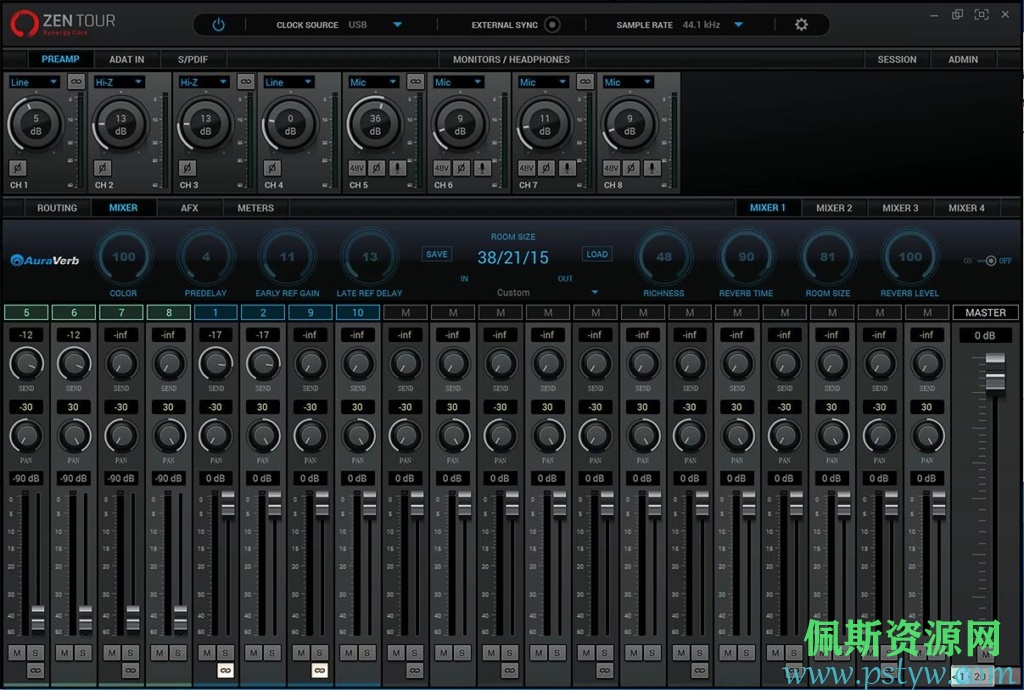
羚羊Antelope Zen Tour声卡跳线看起来非常复杂,知道Antelope Zen Tou声卡驱动跳线后,其实非常简单。如果用羚羊Antelope Zen Tour声卡搭载机架来直播,用Antelope Zen Tour声卡驱动自带的通道就可以做到,伴奏音乐和麦克风进机架,然后输出给耳机监听和电脑网络直播。注:下面的图文教程是,羚羊Antelope Zen Tour声卡直播跳线设置,直播跳线设置,直播跳线设置。不懂就按图文教程设置,声音都正常了之后,再慢慢一步一步研究其通道和驱动跳线。